
 NL
NLShopify SEO and 3D models with AR in practice
At XXLplant, ZAZU's own online shop, we test Shopify SEO in nine languages, 3D models with AR made from a product photo, and a plant doctor with GA4 events. This is how it works technically.
XXLplant is ZAZU's own online shop. It stocks more than three hundred large plants, sold in thirteen countries. For us it is also a test bed. We build a new approach to SEO, a 3D viewer or a tool that helps customers here first, with our own money and our own revenue, before we suggest it to a client.
This article shows three parts of that test bed, at the level a developer or PPC specialist would need to rebuild them: how we do and measure SEO, how we turn a studio photo into a 3D model with AR, and what the plant doctor does technically.
How we do Shopify SEO in nine languages
The foundation is one page per plant species that actually explains something. For every species XXLplant sells in a large size, there is a collection with the species name as its title, such as the Ficus lyrata or the olive tree. The choice of species comes from search data. "Olivenbaum" is searched for 32,000 times a month in Germany, and its keyword difficulty in Ahrefs is 2 out of 100.
A species page like that is a collection with its own template. The content sits in metafields on the collection (a short and a long intro, the growth forms, care steps, frequently asked questions) and in 48 metaobjects per species: quick facts, a glossary, sources and a comparison table. The template also renders the questions as FAQPage schema. Around the collections are care articles about problems people actually have, such as brown leaves on a Strelitzia or a Monstera in winter. Each article links to the collection for that species.
Everything is in nine languages. We write the translations directly into the store with translationsRegister, including those for the metafields and metaobjects, which are each a translatable resource of their own. How that works and where it goes wrong is in Shopify Markets: one shop in thirteen countries.
How to measure SEO with the Search Console API
We read Search Console through the API, with the query and page dimensions, in batches of 25,000 rows. We then classify every query with a regular expression on buying words in all nine languages: kopen, kaufen, buy, acheter, köpa, comprar, plus words such as groot (large), XXL and kunstplant (artificial plant). Every page gets a type: collection, product, blog or homepage. That shows you, per page type, how many impressions and clicks come in on buying terms, and at what average position.
On 5 October that analysis showed three things. Collection pages got a lot of impressions on buying terms, but ranked at position 38 on average. For "grote kamerplanten" (large houseplants), six of our own pages were competing with each other, including blog pages with a tag filter. And 28 Dutch collections had no SEO title of their own, so Google showed "Alocasia – XXLplant" without the word for buy, while the translated versions did have it.
That was dealt with the same day. The 28 titles now take the form species name, buy, a distinguishing feature and the brand. The blog's tag pages are set to noindex,follow, with a rule in theme.liquid that checks template.name == 'blog' and current_tags. And one target page has been chosen for each buying term. We are measuring what that delivers over the following weeks. That is also the point of a test bed: the measurement is in place before the change goes live.
The figures so far: in the week of 1 June, XXLplant got 208 clicks from Google, and in the week of 28 September it got 561. The Italian version went live on 18 September and was in the index the next day. In the two weeks after that, 130 clicks came from Italy, against 9 in the two weeks before. Almost all of that traffic landed on translated care articles.
How to create 3D models for Shopify from a product photo
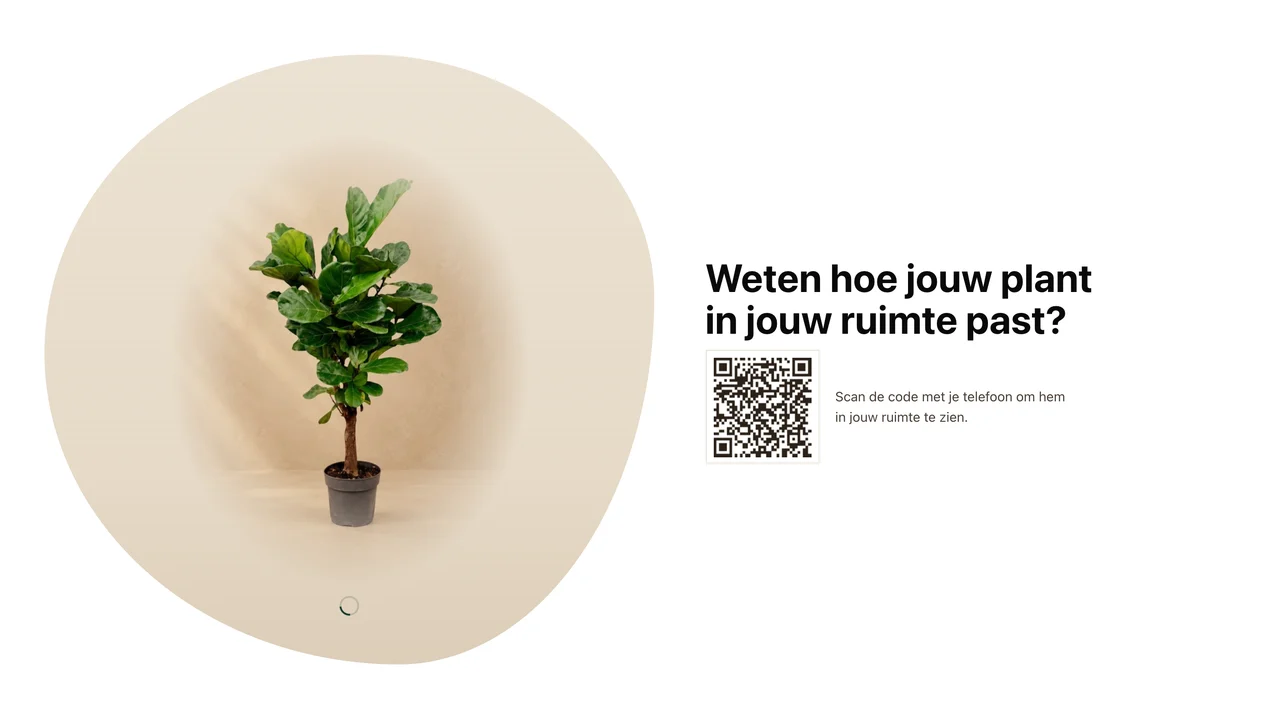
A two-metre plant is easier to buy when you can see how it looks in your room. On 91 XXLplant product pages you can therefore rotate the plant as a 3D model, and use your phone to place it at full size in your own space. On a computer, a QR code appears that you scan with your phone.
No 3D artist is involved. The pipeline has five steps:
- The cut-out studio photo goes to Meshy's image-to-3D API, with a target of 50,000 triangles and colour plus PBR material. One model costs 30 credits.
- A Node script cleans up the model. It removes loose fragments, scales the model to the height in the product title and puts the origin under the pot. The colour texture goes to 2K and the normal and metallic-roughness maps to 1K, as JPEG. That brings a model to five or six megabytes.
- The leaf colour is matched to the source photo in the Lab colour space, by shifting the lightness and scaling the colour proportionally. The material gets a roughness of 0.9 and no metalness, because the Meshy model was too glossy.
- As a trial on the Ficus lyrata, the model got a skeleton of six bones from the rim of the pot, with a five-second sway loop. The script finds the rim of the pot from the model's width profile. In the three.js viewer, a vertex shader makes the leaves tremble slightly, and the crown springs back when you rotate the model.
- The model goes to Shopify as
MODEL_3Dthrough a staged upload, andproductUpdateattaches it to the product as media. Shopify creates a USDZ file from it for the AR view on iPhone.
We ran into two things at step 5. Apple's AR view does not open the swaying model with a skeleton. If a product has a swaying model, there is therefore a static model next to it for AR, and the section uses the alt text to decide which model goes where. If a product has one model, the section uses it for both. On top of that, productUpdate sometimes returned an error even though the mutation had gone through. If you blindly upload again at that point, you get a duplicate model. The upload script therefore first checks what is already attached to the product.
Before publication, every model was rendered headless and placed next to the studio photo, and its height was measured. All 93 models came out within three centimetres of the stated height. We held three back: a citrus tree without a pot that floated above the ground, a Kentia with a pampas plume left over from the photo styling, and a Sansevieria with the measuring stick still in shot.
How the plant doctor works and what it measures in GA4
The plant doctor is an interactive tool for customers whose plant is not doing well. You choose your plant from thirteen species and then the symptom, from nine options such as yellow leaves or brown tips. You get a diagnosis, a treatment and advice on preventing it, with notes that only apply to that species.
The content sits in a JSON file per language in the theme, and a section with a little JavaScript builds the choices and the result. Each species has its own anchor, such as /pages/plantdokter#monstera, which jumps straight to the symptom choice for that plant. The care articles for each species link to the doctor with that anchor, and on the search page the doctor only appears for search terms that point to a sick plant, such as yellow or spider mite.
For PPC, the measurement is the most interesting part. With every diagnosis, the doctor sends a plantdokter_diagnose event to the dataLayer, with the species and the symptom. The plant finder does the same with plantkeuzehulp_resultaat. In GA4 those make useful audiences: someone who just got a diagnosis for their Monstera is a different audience from someone who only viewed a product page. After the diagnosis, the customer can ask customer service for help.
What this means for your online shop
Everything described here runs in our own shop first and only then for a client. That saves a client the trial period, and saves us from promises we cannot keep. How we maintain the theme technically with all these parts in it is in The Shopify GitHub integration in practice.
Would you like one of these parts in your own online shop? Tell us which one, and we'll show you how it works at XXLplant.
What this means for your business.
Answer three questions and you will know where it makes most sense to start.
How we build online shops